
Who should attend
- System administrators who are both new to JBoss and have experience with JBoss Enterprise Application Platform 5
Prerequisites
- Base experience with system administration on Microsoft Windows, UNIX, or Linux® operating systems
- Understanding of hardware and networking
- No prior knowledge of Java, scripting, or JBoss Developer Studio required
Course Objectives
- Install and run JBoss Enterprise Application Platform 6 in standalone mode and domain mode
- Configure a domain
- Deploy applications to JBoss Enterprise Application Platform 6
- Configure the datasource subsystem
- Configure Java™ Message Service (JMS) and HornetQ
- Configure the logging subsystem
- Configure the web subsystem
- Implement application security in JBoss Enterprise Application Platform 6
- Migrate JBoss Enterprise Application Platform 5 applications to JBoss Enterprise Application Platform 6
- Get an introduction to clustering
Detailed Course Outline
Module 1: Overview of JBoss Enterprise Application Platform
- Learn the concepts and terminology of JBoss® Enterprise Application Platform 6, and install and run a JBoss Enterprise Application Platform instance.
Module 2: Configure JBoss Enterprise Application Platform in standalone mode
- Understand the directory structure of standalone mode and the standalone.xml configuration file, and deploy an application onto a standalone server.
Module 3: Configure JBoss Enterprise Application Platform in domain mode
- Set up a domain, including a domain controller managing multiple host controllers. Also learn how to deploy an application onto a domain.
Module 4: Configure servers
- Define a server group on a host, add servers to a server group, and deploy an application to a server group.
Module 5: Use the CLI tool
- Learn how the command-line interface tool can be used to script administrative tasks.
Module 6: The datasource subsystem
- Understand database connection pools in JBoss Enterprise Application Platform and how to configure the datasource subsystem. Learn how to deploy a Java™ Database Connectivity (JDBC) driver and define a datasource.
Module 7: The logging subsystem
- Configure the logging subsystem, including configuring the built-in handlers and loggers.
Module 8: The messaging subsystem
- Understand JMS and HornetQ, including how to define and configure connection factories and destinations (topics and queues).
Module 9: The security subsystem
- Configure the security subsystem, including securing the management interfaces, securing an application, and securing a JMS destination. Also learn how to define a Lightweight Directory Access Protocol (LDAP) and database security realm.
Module 10: JVM configuration
- Configure the JVM for both standalone and domain modes.
Module 11: Migrating applications to JBoss Enterprise Application Platform 6
- Understand classpath and module dependencies, JPA issues, updating security settings, and other tips on how to migrate an application to JBoss Enterprise Application Platform 6.
Module 12: The web subsystem
- Configure the HTTP and HTTPS Connectors, set up an SSL connection, and configure an AJP Connector.
Module 13: Introduction to clustering
- Set up JBoss Enterprise Application Platform 6 in a cluster in both standalone and domain mode.
Course Content
Red Hat JBoss® Application Administration I teaches you the best practices for installing and configuring Red Hat® JBoss Enterprise Application Platform 6. Through hands-on labs, learn the essential, real-world tasks that a system administrator needs to know to effectively deploy and manage applications on JBoss Enterprise Application Platform.
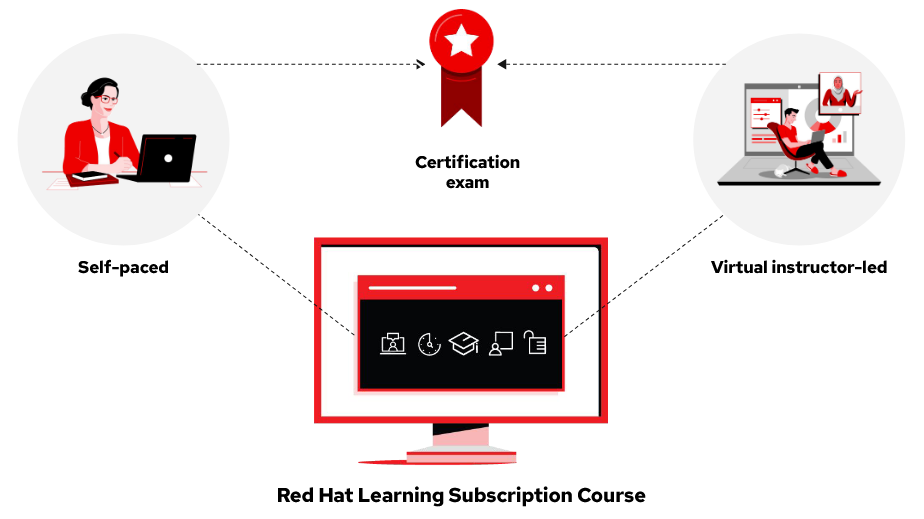
After completing this course, you should be prepared to take the Red Hat Certified JBoss Administration (RHCJA) Exam.